Published: Jul 21, 2026, 11:02 AM · Last updated: Jul 21, 2026, 11:03 AM
Building Consistent Character Rosters: Maintaining Art Style Across Dozens of AI-Generated Sprites
The consistency problem nobody warns you about
Generate one sprite with AI and it looks great. Generate the second one and it looks like it wandered in from a different game. Different line weight, different proportions, different color logic. That's the wall every indie dev hits the moment they try to build an actual roster instead of a single hero.
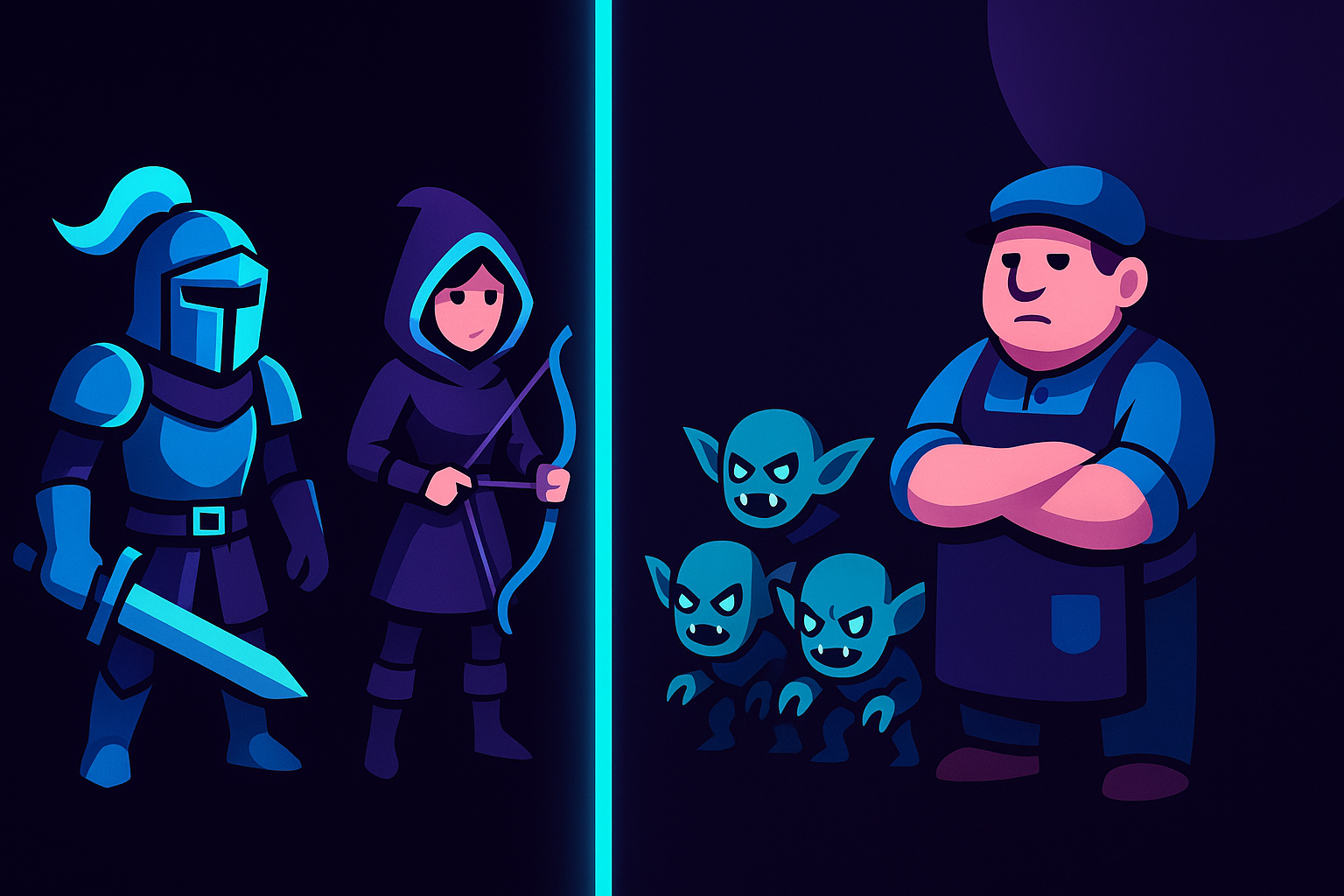
A character roster only works if the pieces belong together. Your knight, your archer, your goblin swarm, and the shopkeeper standing in the corner all need to read as members of the same world. When they don't, players notice before they can even tell you why the game feels off.
So the real challenge isn't making one good sprite. It's making forty of them that hold the same visual grammar.
Where the style drifts, and why
Style drift usually creeps in through the small stuff. One sprite gets rendered with heavier outlines. Another has a slightly warmer palette because of how the prompt was phrased. Frame counts wander. Shadows land at different angles. Individually, none of it screams "wrong." Stacked together in a sprite sheet, it turns into visual noise.
The manual fix is painful. You end up recoloring, redrawing, and matching by eye across dozens of assets, which is exactly the kind of grind that kills momentum on a small team. I've watched solo devs lose weeks to this, not building levels, not writing code, just trying to get their cast to look like one cast.
This is the gap AutoSprites AI is built to close. Instead of treating every sprite as a fresh coin flip, the studio leans on a repeatable generation flow so the outputs stay in the same family. Clean frames, transparent backgrounds, and consistent framing come baked in, which strips out most of the little inconsistencies you'd otherwise be fixing by hand.
A practical way to keep a roster coherent
Consistency is less about talent and more about process. A few habits go a long way, and they matter whether you're drawing by hand or using an AI game sprite generator.
Lock your description language early. If your hero is "chunky pixel art, thick outlines, muted palette," then every other character in the roster gets described in those same terms. Reuse the vocabulary. The moment you start improvising new adjectives per character, drift begins.
Then there's the technical layer, which is honestly where most homemade rosters fall apart:
- Every sprite should sit on a transparent background so nothing carries a stray halo or mismatched edge into the engine.
- Frames need to be clean and evenly cut, otherwise your walk cycles animate at slightly different speeds and it reads as sloppy.
- Export format matters more than people think, a tidy ZIP that drops straight into your project beats hunting through a folder of loose PNGs named "final_v3_real."
AutoSprites handles those three automatically. The sprite optimization keeps frames clean, backgrounds transparent, and the whole batch exports as a ZIP that's ready for game integration. That's the boring infrastructure that makes a roster feel finished.
Batch thinking beats one-off thinking
The mindset shift that fixes most consistency issues: stop making characters one at a time. Make them as a set.
When you generate dozens of animated sprites in the same session, under the same stylistic direction, they naturally share DNA. You're not matching a new sprite to something you made three days ago in a different headspace. You're producing the cast together, which is how animation studios have always done it and how your roster should come together too.
Automated sprite animation helps here as well. If every character's movement runs through the same system, your idle poses, walks, and attacks share timing and feel. A roster where the goblin bounces at the same rhythm as the knight just holds together better than one stitched from a dozen unrelated animation tools.
Where the AI tools sit next to the classics
Let's be real about the competition. Aseprite and GraphicsGale are excellent if you already know how to draw pixel art and enjoy placing pixels by hand, and plenty of pros will never give them up. Piskel and the Lospec editor are great free entry points for learning the craft. Krita is a full painting suite that happens to do sprite work. And for rigged animation, Spine and Dragon Bones are in a category of their own.
What none of them do is generate the art for you. They're canvases, not creators. If you can't draw, or you can but you don't have the hours, a blank Aseprite file is just an intimidating grid. That's the whole point of a 2D game asset AI tool: it produces the raw sprites and animations so you're editing and arranging instead of drawing from zero.
None of this replaces a skilled pixel artist on a funded project. But for a solo dev, an educator running a game-dev class, or a studio that needs a rough roster standing by Friday, AI-powered animated sprite creation covers ground that hand tools simply can't at that speed.
Get the whole cast looking like one cast
A believable roster comes down to shared style, clean technical output, and a process that treats characters as a group rather than a pile of one-offs. If you'd rather spend your time building the game than color-matching a goblin, it's worth running your next roster through AutoSprites AI and seeing how the batch holds together.
Written by the CreatorFetch.com editorial team.